

Most cable bills rise slowly over time, often without the household noticing until the total feels uncomfortable. The package price stays roughly the same, but promotional credits expire, surcharges drift upward, equipment fees accumulate, and add-ons signed up for years ago keep billing. By the time the household actually opens the statement and reads it, the bill is well above what it started at, and switching providers feels like the only option.
Switching is one option, but it is not the first one to try. Many cable bills can be reduced without changing providers, especially when the household has unused equipment, forgotten add-ons, expired promotions, or a package larger than it needs. This guide walks through those steps in the order that usually produces the best result.
Cable plans, surcharges, equipment policies, and retention offers vary by provider and market. This guide explains the general approach, but the specific options available to any household should be verified directly with the provider before making changes.
Why Cable Bills Creep Up
A cable bill that started at one price almost never stays there. Several forces push the total upward over time, usually without the household making any active decision.
Promotional credits expire and drop off the bill, often without notice. Annual rate adjustments raise the package price by a few percent. Broadcast and regional sports surcharges drift upward as the underlying programming costs increase. Equipment fees accumulate as boxes get added in additional rooms. Add-ons signed up for during a sports season or a family event keep billing long after they stopped being used.
None of these individually are large. Together, they push a bill that started at a reasonable number to a total the household no longer recognizes. The fixes are similarly small individually, and they add up the same way the increases did.
Step 1: Pull the Bill and Find the Real Monthly Total
The first step is to actually read the bill. Most households know the rough total but not the breakdown. Without the breakdown, no useful change is possible.
Pull the most recent statement, on paper or through the provider’s online portal. Identify each major section: package price, equipment rentals, surcharges and fees, taxes, promotional credits, add-ons. Note the total. Note the date of any promotional credit expiration.
The package structure behind the bill is its own topic, and a separate guide on this site covers how cable channel packages are actually structured. For the purpose of lowering the bill, the only number that matters at this stage is the current real total and what each line contributes to it.
Step 2: Audit the Equipment Rentals
Equipment rental is the line item where unnecessary charges most commonly hide.
Cable providers charge a monthly fee for each set-top box, each DVR, and often for the modem or gateway. The fees are modest per device but accumulate quickly across a multi-TV household. Worse, they sometimes persist on the bill after a box has been returned or a room has been disconnected, due to billing errors that go uncorrected unless the household specifically flags them.
Three questions to answer during the audit:
- How many devices are listed on the bill, and does that match the number actually in use in the home?
- Are there any boxes in rooms where no one watches anymore?
- Are there any devices listed that were returned at some point but never removed from the account?
Each unused or billing-error device is a line that can be removed by phone or through the account portal.
Step 3: Cut Forgotten Add-Ons
Cable accounts accumulate add-ons over the years. Premium movie channels added during a promotion that was never canceled. Sports tier subscriptions from a season that ended. International channel packages signed up for during a family event. DVR service fees on a DVR no longer used.
The audit pass should look specifically for subscriptions the household no longer uses or never started using. Each is removable, usually through the account portal without needing to call.
One specific check worth running: any premium channel the household has access to through a separate streaming subscription. HBO, Showtime, and Starz are all available as standalone streaming services. A household paying for both the cable add-on and the streaming app is paying twice for the same content, and the cable side is usually the more expensive of the two.
Step 4: Track Promotional Credit Expiration Dates
Most cable bills include one or more promotional credits that reduce the total. These are time-limited discounts from new-subscriber promotions, retention offers, or bundle deals. They expire on specific dates, and when they expire, the bill rises by the amount of the credit. Sometimes without warning.
Two practical actions help.
First, find the exact expiration date of every active credit on the bill. This is usually visible on the statement or in the account portal. Write the dates down somewhere the household will see them.
Second, call the provider in the month before a credit is set to expire. Cable providers generally prefer to keep subscribers at a discount rather than lose them to a competitor, and retention agents have authority to renew or replace expiring credits for another promotional period, often twelve months. The call is far more effective before the credit expires than after.
Step 5: Downgrade Strategically to the Right Tier
Many households are subscribed to a tier larger than they actually use. The next step down is often meaningfully cheaper while still covering the channels the household watches.
The strategic part of downgrading is identifying which channels the household actually watches, then finding the cheapest tier that includes those channels. Most providers organize tiers with substantial overlap at the bottom and unique channels added as tiers climb. A household watching mostly base-tier channels plus one or two cable networks may be on a tier two steps above what it needs.
Two specific cases are worth highlighting. Sports-heavy tiers carry a regional sports network and often a sports add-on package, both of which carry surcharges. A household that does not follow the local team has no reason to be on a sports tier. Premium tiers carry movie channels and additional entertainment networks. A household that watches premium content through streaming subscriptions does not need them duplicated on cable.
Downgrading is a phone call. Some providers also allow it through the online portal. The change usually takes effect at the next billing cycle.
Step 6: Replace Rented Equipment Where Possible
Some rented equipment can be replaced with household-owned alternatives, eliminating the rental fee entirely.
Cable modems are the most common case. Many cable internet providers allow customers to use an approved DOCSIS-compatible modem instead of renting one, but the exact rules depend on the provider and plan. A purchased modem typically pays back its cost within a year or two of saved rental fees, and continues paying for itself afterward. The provider’s website usually lists approved modem models for the household’s service.
Set-top boxes are harder to replace. Most cable providers require their own boxes for the cable TV service, and third-party TV-box alternatives are increasingly limited. For households that find box rental expensive, this is one of the structural arguments for cord-cutting rather than continued cable subscription.
DVR replacement options also vary by provider. Some setups allow third-party network DVRs, but the configurations are increasingly rare. Check what the specific provider supports before assuming.
Step 7: Compare Bundle Math Against Standalone Internet
Households on a bundled cable-and-internet plan need to do one specific calculation before making major changes: what does standalone internet cost from the same provider, and how does that compare to the bundle.
The bundle discount is a real line on the bill. Canceling cable TV usually removes that discount from the internet portion, raising the internet bill. The honest savings number from any cable cut is the cable bill removed minus the internet bill increase, not just the cable bill removed.
For households planning to keep cable but reduce its cost, the bundle math is also relevant in the other direction. A downgraded cable tier may still preserve the bundle discount, while canceling cable entirely would eliminate it. The retention call in Step 8 should account for this.
Step 8: Make the Retention Call With a Specific Ask
After the audit, the downgrade, and the equipment changes, the last step is a phone call to the provider’s retention department.
The call works best with a specific ask. Vague requests (“can you lower my bill”) tend to produce small concessions or none. Specific requests (“my promotional credit expires next month, what can you offer to keep my service”) produce concrete options. Useful asks include renewing an expiring promo, applying a retention discount, waiving an equipment fee, or matching a competitor’s offer for new subscribers.
The household’s bargaining position is strongest when it is genuinely prepared to cancel. Retention agents may have access to offers that regular customer service agents do not, especially when the household is genuinely considering cancellation. The call works best when the household has already decided what it would do if the offer is insufficient.
A few patterns appear consistently in retention calls. Offers tend to be twelve-month promotional credits rather than permanent price reductions. The agent will sometimes offer a free or discounted upgrade as an alternative to a price cut. Some markets have stronger retention budgets than others, often based on the level of local competition the provider faces.
What Usually Cannot Be Reduced
Several lines on a cable bill do not respond to negotiation or audit. Knowing which ones saves time on the retention call.
- Broadcast TV surcharge: a pass-through cost the provider collects on behalf of local broadcast stations
- Regional sports network fee, when applicable: a pass-through cost the provider collects to carry the RSN
- Franchise fee: a local government charge that the provider passes through
- FCC regulatory fee: a federal charge applied to all cable subscribers
- State and local taxes: applied to most of the bill at the household’s tax rate
These lines go away only when the underlying service goes away. The RSN fee, specifically, can be eliminated by switching to a tier that does not carry the network. The others apply as long as cable TV service is active.
The Short Version
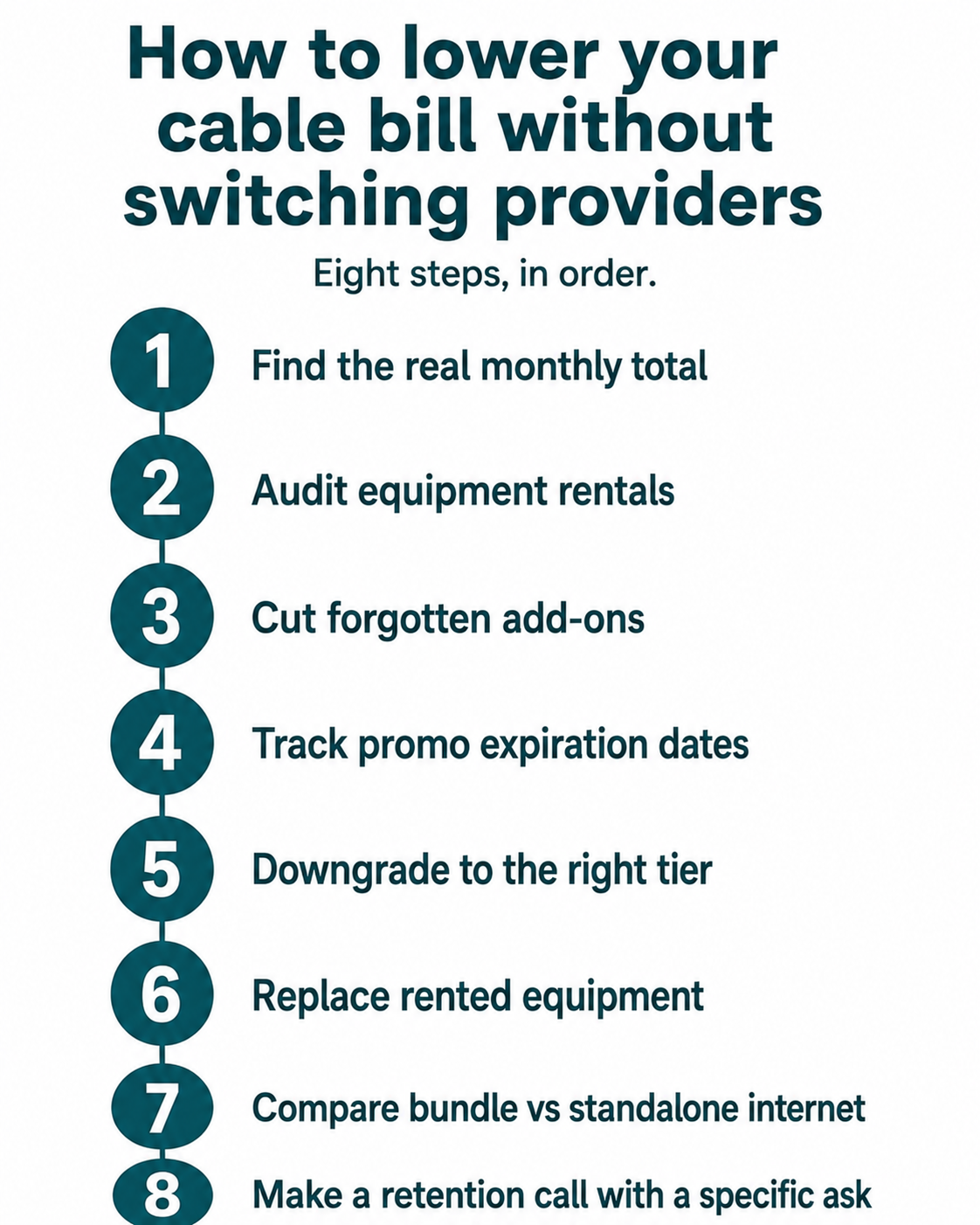
A cable bill that has crept up over time can usually be reduced without switching providers. The sequence is: read the bill, audit the equipment list, cut forgotten add-ons, track promotional credit expirations, downgrade to the right tier, replace rented equipment where possible, run the bundle math, and make a retention call with a specific ask.
None of the steps individually save a large amount. Together, on a household that has been on the same plan for several years, the compounded savings are often meaningful enough to justify the evening it takes to work through them. Switching providers remains an option after the steps are done. It is rarely the right first option.
Leave a Reply